To change what you said in a video without reshooting, change the words in its sound with Crele’s speech editing. Drop the video into the Crele app, type what you meant to say, and that stretch comes back in your own voice, matched to the recording around it. The picture stays as it was, so it fits best where your mouth is not on screen during the changed words. It is a preview for English, with 10 edits free.
Can you change what you said in a video without reshooting?
Yes: Crele’s speech editing changes the words in a video’s sound, in the voice of the person who said them. You type the new words, and the stretch is remade with them in it, in the same voice and the same room. It needs only the video you have: no reshoot, no voice sample, no transcript.
It does not touch the picture. Your lips keep moving to the words you first said, so where the change lands on screen decides whether anyone can tell.
When does a changed word look right on screen?
A word changed with Crele’s speech editing looks right whenever nobody can read your lips while you say it. That covers most of the places a fix is needed:
- Voice-over and narration. The voice is never on camera.
- Screen recordings and tutorials. The picture is the screen.
- A cutaway over the edit. Cut to B-roll, a product shot or a reaction for the second or two the words change, the way editors already cover a fix.
- A wide shot, or a speaker turned away. The mouth is too small or out of view to read.
- A podcast clip over a still image or a waveform.
On a close-up talking to camera, the new words will not match your lips. Cover that stretch with a cutaway.
How do you change the words in a video?
Drop the video into Crele’s speech editing, type the words you meant to say, and lay the edited stretch back under the picture. It runs in the Crele app, in the browser on a phone or a computer.
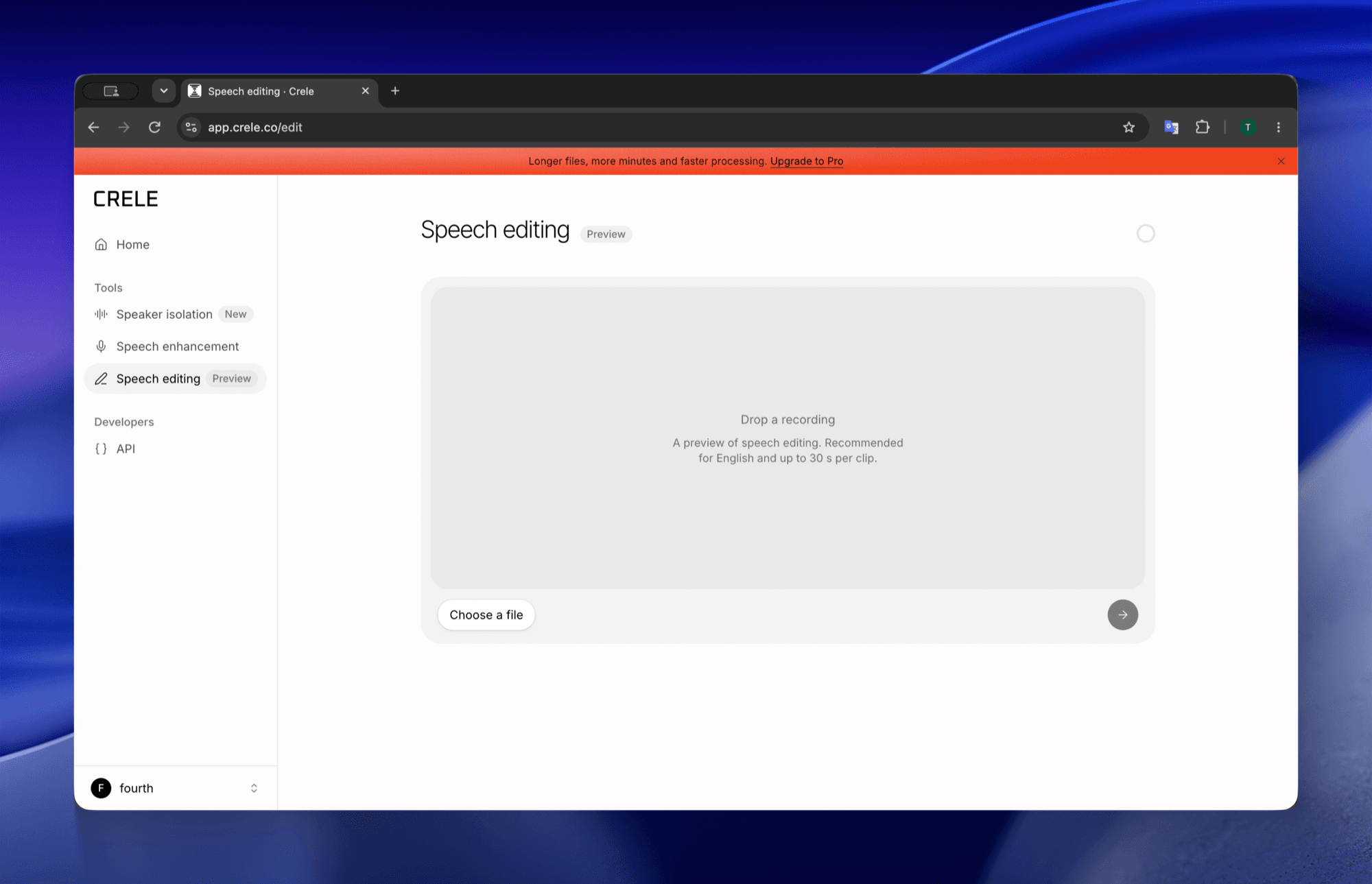
1Drop the video into Speech editing
In the Crele app, open Speech editing and drop the video in, or choose it from your camera roll. MP4 and MOV both work, and the app reads the sound out of the video.
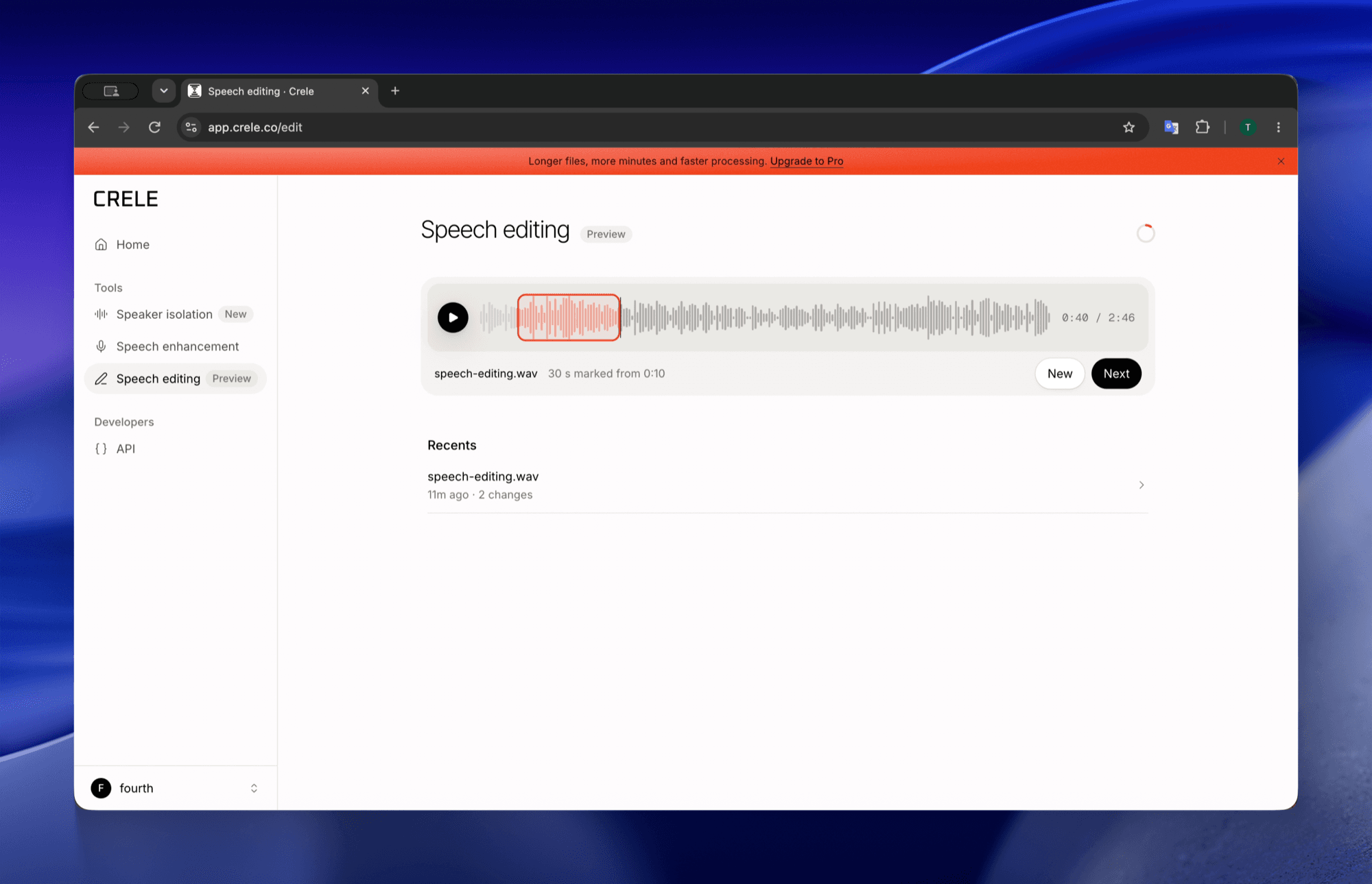
2(Optional) If the clip is long, mark the stretch with the mistake
Skip this on a clip of 30 seconds or less: it is edited whole. On a longer one, mark 5 to 30 seconds around the words to change. Only that stretch is edited.
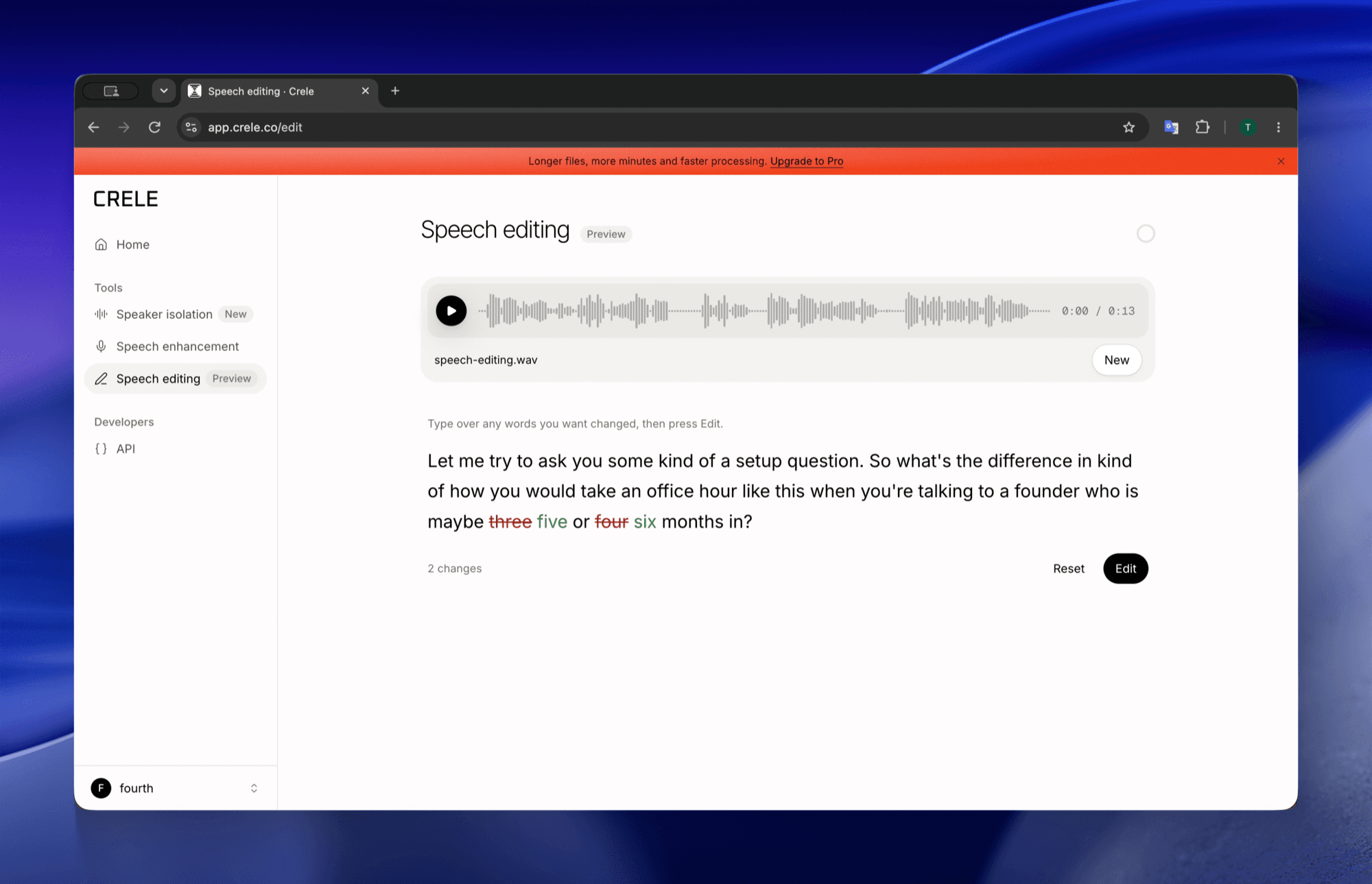
3Type what you meant to say
The words come up as you said them. Change the name, the number or the phrase, and Speech editing remakes the stretch with the new words in your own voice.
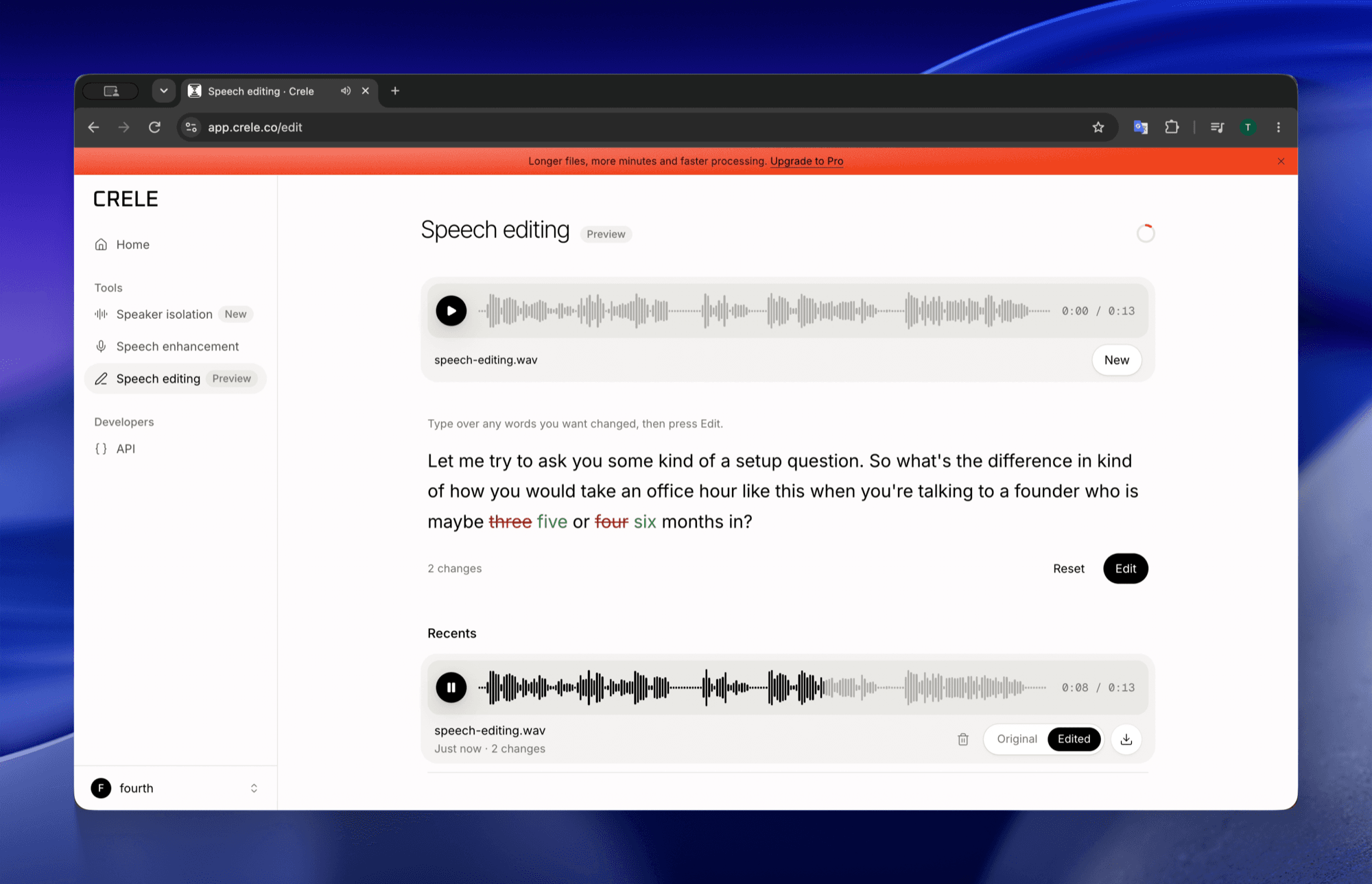
4Listen, then download the take
Switch between the original and the edit while it plays. Keep the take if it sits right, or change the words and try again; each take is kept, with Download this take beside it.
5Lay the stretch back under the video
In CapCut, iMovie, Premiere or DaVinci Resolve, cut the original sound at the same stretch and put the edited audio in its place, starting where the stretch starts.
What can speech editing change?
Crele’s speech editing changes up to half the words in a stretch of 5 to 30 seconds, in the speaker’s own voice, matched to the room and the distance of the recording around it. A wrong name, a price that changed after the shoot, a missing “not”, a sentence that came out backwards.
It is a preview: the speech editing model before its full release, open now so it can be used on real recordings. The app holds it to these:
- English, for now.
- 5 to 30 seconds at a time. A short clip is edited whole; on a longer one, you mark the stretch.
- Up to half the words in the stretch. For more than one mistake, edit each stretch in turn.
- The stretch comes back as audio, to lay under the video in your editor.
- 10 edits free. Pro includes 200 a month, and an edit that fails costs nothing.
Questions
- Can AI change what someone said in a video?
- It can change the words in the sound. Crele's speech editing remakes a stretch of a video's audio with new words in the speaker's own voice. The picture stays as it was, so the lips still move to the old words; changing the lips as well is lip sync, which speech editing does not do.
- Do I need a sample of my voice?
- No. Speech editing learns your voice from the recording you drop in. There is no voice clone to train and nothing to record first.
- How much can I change?
- Up to half the words in a stretch of 5 to 30 seconds: a name, a number, a product, a missing not, a sentence inside the stretch. For more than one mistake, edit each stretch in turn.
- Does it work on a video I filmed on my phone?
- Yes. Drop the MP4 or MOV from your camera roll, and speech editing works on its sound. The edited stretch comes back as audio to lay under the picture in your editor.
- Can I change what someone else said?
- Yes. Acting maliciously with the technology is not condoned, and Crele is not liable for what you do with the results.
- Can I change words in a video with AI for free?
- Yes, to start. A free Crele account includes 10 edits, and an edit that fails costs nothing. Pro includes 200 edits a month. Speech editing is a preview, for English for now.
Fix the line, keep the take
Sign up free and change the words in your video, with 10 edits included.
Related: how to fix a word you said wrong in a recording · the speech editing preview · six ways to change words in audio without re-recording